

DX Solution
MES
An MES solution that redefines the future of the manufacturing floor
SYSTEM ARCHITECTURE
System configuration
Acts as the communication and data hub connecting everything from the ERP above to the PLCs and equipment on the floor below.
L4
Business management
Business Management
 PurchasingPurchase orders and instructions
 SalesCustomer orders and confirmation
 Material requirements planningMRP
 Production planningMPS
L3
MES manufacturing operations management
Manufacturing Operations Management
 Order confirmation
- Customer orders
- MES purchase orders and instructions
 Material management
- Provisional receipt
- Receipt confirmation
- Permanent location assignment
- Temporary barcode issue
- Material matching
 Work instructions
- Work order check
- 4M setup check
- Equipment setup
- 4M change records
 Production and process
- Production result confirmation
- Production counting
- SOP compliance
- Equipment monitoring
- 4M history storage
 Quality inspection
- Incoming inspection
- First, in-process and final inspection
- Sampling and records
- Patrol and in-process inspection
- Final inspection and acceptance
 Shipping management
- Finished goods receipt
- Shipping instructions
- Shipping confirmation
- Transaction statement printing
- Shipping certificate printing
AI & DATA INTELLIGENCE
 LLM assistant
Supports natural-language analysis of shop-floor data and manufacturing operations decisions.
 Multi-source data collection
 Pattern recognition and learning
 Production scheduling
 Predictive maintenance
 Natural language processing
 Unified data transformation
 Integration engine
 Quality prediction
 Root cause inference
Equipment and mould management
- Preventive maintenance planning
- Operating history
- Mould life management
Quality infrastructure
- Instrument calibration
- Nonconformance and corrective action (NCR/CAPA)
Environment and safety
- Energy monitoring
- Safe work guidance
Worker management
- Skill and training history
- Work authorisation management
L2
Data layer
Data & Integration Layer
OPC-UA based integration interface
- Data collection
- Data filtering
- Protocol standardisation
- Data standardisation
- Recipe distribution
L1
Physical layer
Physical Field Layer
 PLCManufacturing equipment
 CNCMachine tools
 Industrial robotROBOT
 KIOSKOperator interface
 BarcodeIdentification devices
 Machine visionInspection equipment
 RFIDIdentification and tracking
 SENSORShop-floor data
 PDAMobile work
- AGV · AMRLogistics equipment
FUNCTION ARCHITECTURE
Function configuration
To maximise real-time visibility and efficiency on the shop floor, MES is built from the following interlocking modules.
- 01Pick a module
- 02Read its sub-functions
- 03See the infographic
The centre of unified manufacturing operations
MASTER DATAMESExecution System
Select a module around the hub to see its detail.
The input, the MES processing and the output of the function you pick appear here.
PROCESS FLOW
Process flow
Implements a smart manufacturing process in which goods and information flow without a break, from receipt to final shipping.
* Reconstructed from the attached function diagram. The configuration may change according to each customer's manufacturing processes and requirements.
STEP 01
Raw material receipt

- Material receipt and issue
- Provisional receipt, incoming inspection
- LOT creation and tracing
STEP 02
Material warehouse

- Material and delivery warehouses
- Stock location management
- Barcode-based stock control
STEP 03
Production input
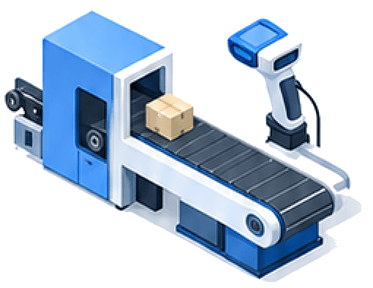
- Barcode-based process input
- Inter-process movement history
- Input handled by LOT
STEP 04
Production execution
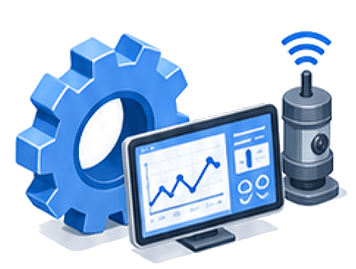
- Work order monitoring
- Real-time results from equipment
- Shop-floor terminals and PDAs
- AI-based process optimisation
STEP 05
In-process quality
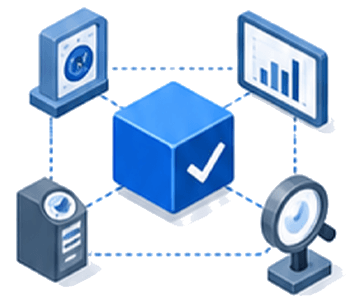
- SPC statistical quality control
- In-line QC
- First, middle and final inspection
- AI-based quality prediction
STEP 06
Equipment management
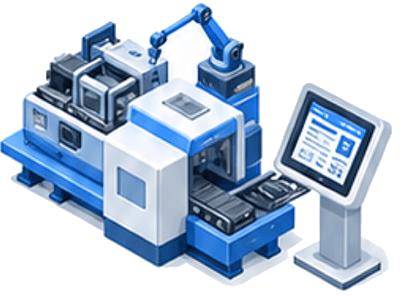
- Automatic condition collection
- Fault detection and reporting
- Daily inspection management
- Predictive diagnosis
STEP 07
Finished goods warehouse
- Finished goods stock
- LOT history
- Shipping preparation
- Automatic result aggregation
STEP 08
Shipping management
- Shipping entry
- Goods issue
- Delivery history
- Issue status
STEP 09
Integrated analysis and management

- Real-time integrated monitoring
- KPI framework
- Legacy system integration
- Self-learning scheduling
ARCHITECTURE
MES architecture
The physical infrastructure and the software services that make up MES, in one design system. Select a tab below to switch between the two architectures.
LAYER 01
Office
OFFICE CONTROL

Administrator PC
MES operation and administration

HUB 2
Office network connection

MES SERVER
MES service operation

DBMS
Production data storage
LAYER 02
Network backbone
BACKBONE
TCP/IP Ethernet Backbone1 Gbps
Remote control PC / HUB 2
Relay between office and shop-floor networks
LAYER 03
Shop floor
SHOP FLOOR
Raw material receipt and issue01
 Barcode scanner
 RFID reader
 Mobile terminal
 Kiosk
Kiosk
Production process02
 Vision camera
 Automation robot
 PLC
PLC Production equipment
Inspection and packing03
 Vision camera
- Automation robot
 Barcode scanner
 Kiosk
Kiosk
Finished goods warehouse and shipping04
 Barcode scanner
 RFID reader
- Mobile terminal
 Kiosk
Kiosk
LAYER 01
Server and monitoring
SERVER LAYER
 MONITORING_APPOperational status visualisation
- Monitoring program
- OS(Windows)
- Web browser
 Status monitor
 PC
PC
 APP and DB SERVERUnified application and data
- Data management application
- Unified control service
- RDBMS(MySQL Server)
- OS(Linux)
- WEB/WAS software
 MES_APPMES business services
- OS(Windows)
- Web Server
- Master data
- Sales
- Purchasing
- Production
- Quality
- Equipment
- Shop floor
- System
NETWORK
Wireless AP
WIRELESS
Wireless AP
Relays wirelessly between the server layer and the field applications
LAYER 02
Field applications
FIELD APPS
 Equipment integration app
- OS(Windows)
- TCP/IP
 Vision camera
 Automation robot
 PLC
PLC Production equipment
 Administrator POP app
- OS(Windows)
- TCP/IP
 Equipment client
 Production client
 Control client
 Quality client
 Production POP app
- OS(Windows)
- TCP/IP
 Kiosk
Kiosk- Barcode scanner
 Mobile terminal
 Shop-floor mobile app
- OS(Windows)
- TCP/IP
 Kiosk
Kiosk Barcode scanner
- Mobile terminal
Shop-floor data becomes an asset the moment it is collected.
How far production, quality and equipment can be standardised — and what it takes to connect what you already run.
Talk to us